
The status page
status.freesbe.net is where to look when something seems off. It runs on its own servers, apart from the app, so it answers even when Freesbe doesn’t.
What it shows
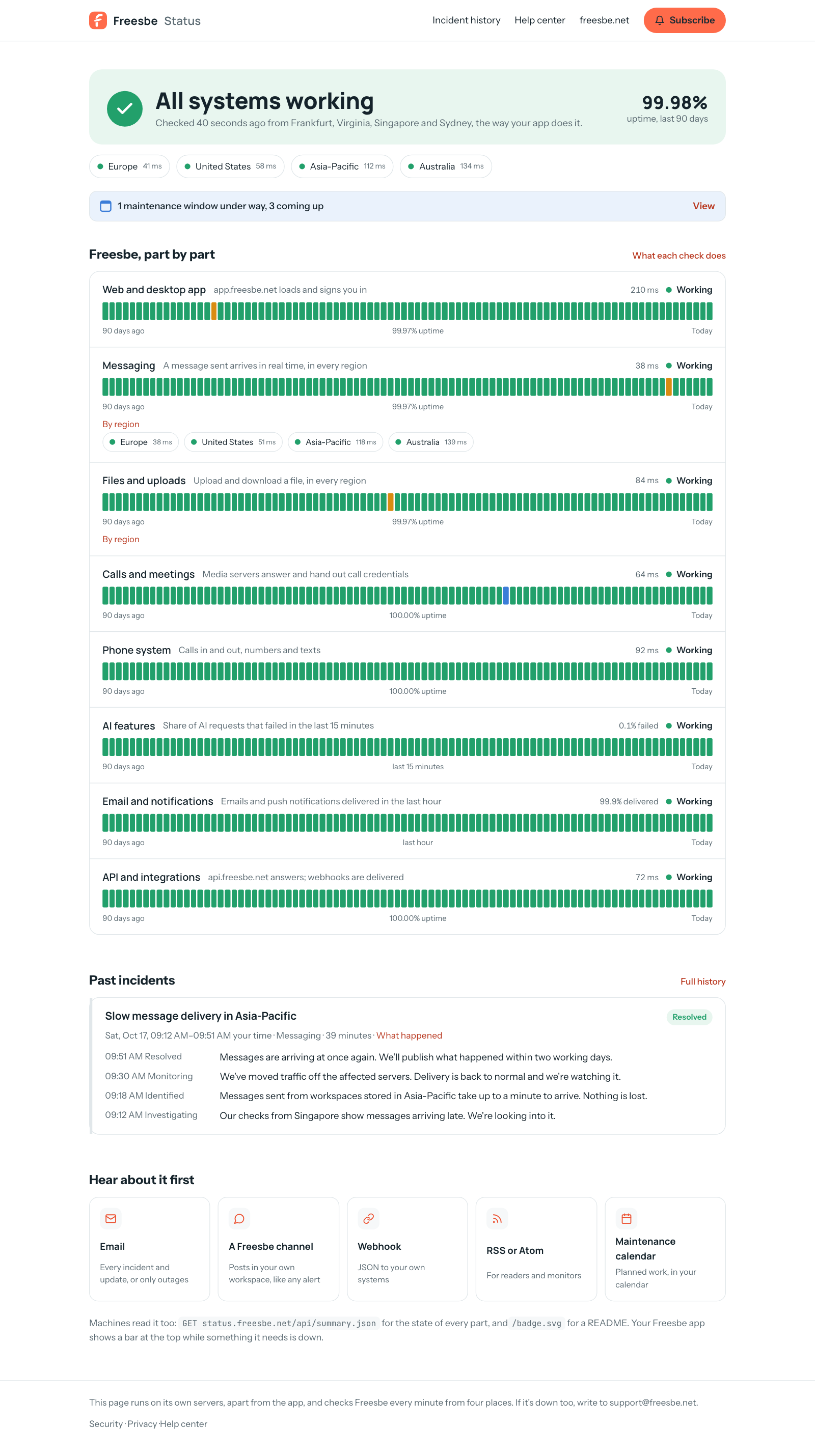
Section titled “What it shows”- Whether everything is working right now. Every minute, from Frankfurt, Virginia, Singapore and Sydney, the page does what your app does: loads it, signs in, sends a message and waits for it to arrive, uploads a file, asks the call servers and the phone network’s API. The chips under the headline show each place’s round trip.
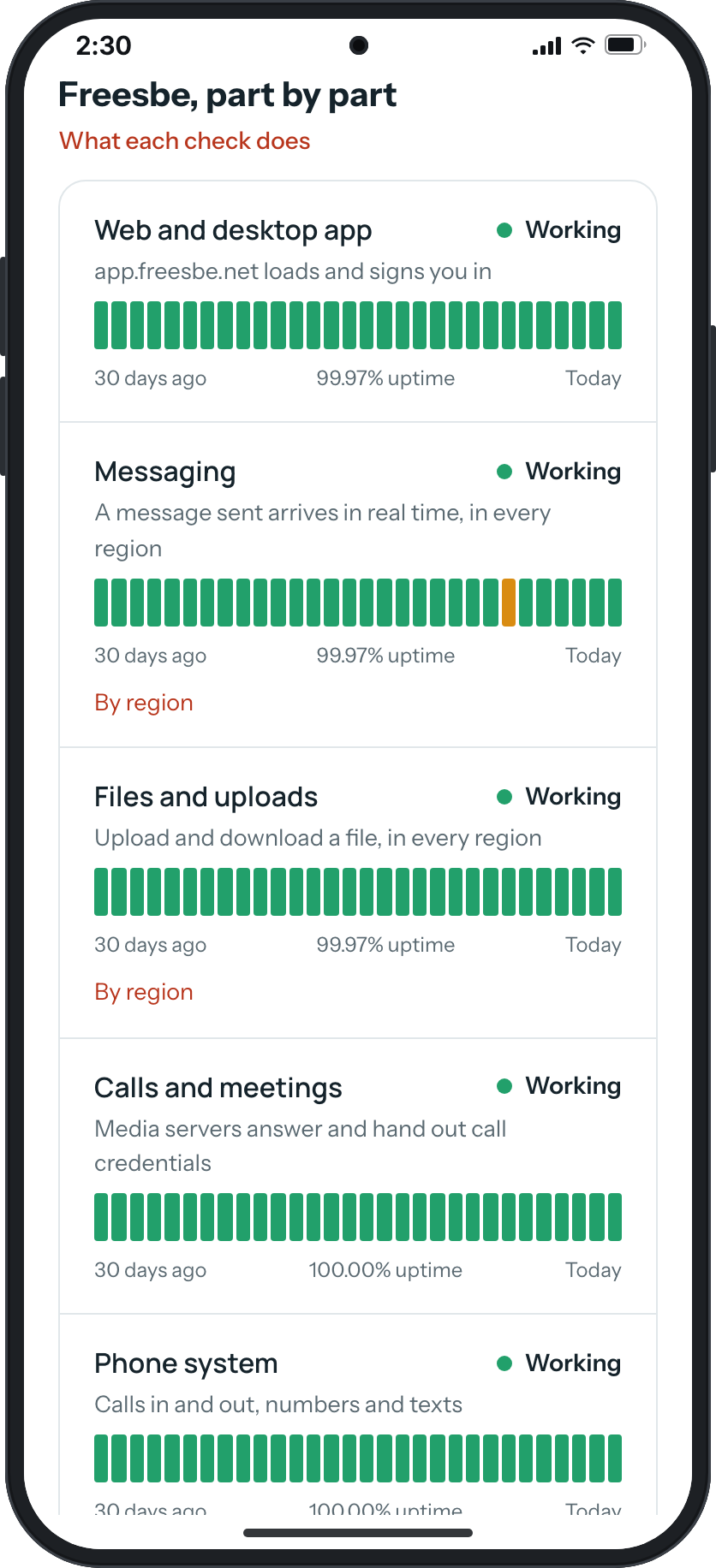
- Freesbe, part by part. The web and desktop app, messaging, files and uploads, calls and meetings, the phone system, AI features, email and notifications, and the API and integrations. Each has its status, its latest round trip or failure rate, 90 days of bars (30 on a phone) and its uptime. Messaging and files open By region, one chip per data region. What each check does explains every row, and what Degraded, Down and No data mean.
- Incidents and planned maintenance, posted by our team with updates as they go, in your time zone. Each has its own page with the full timeline and, once we’ve looked into it, What happened. Incident history goes back month by month.
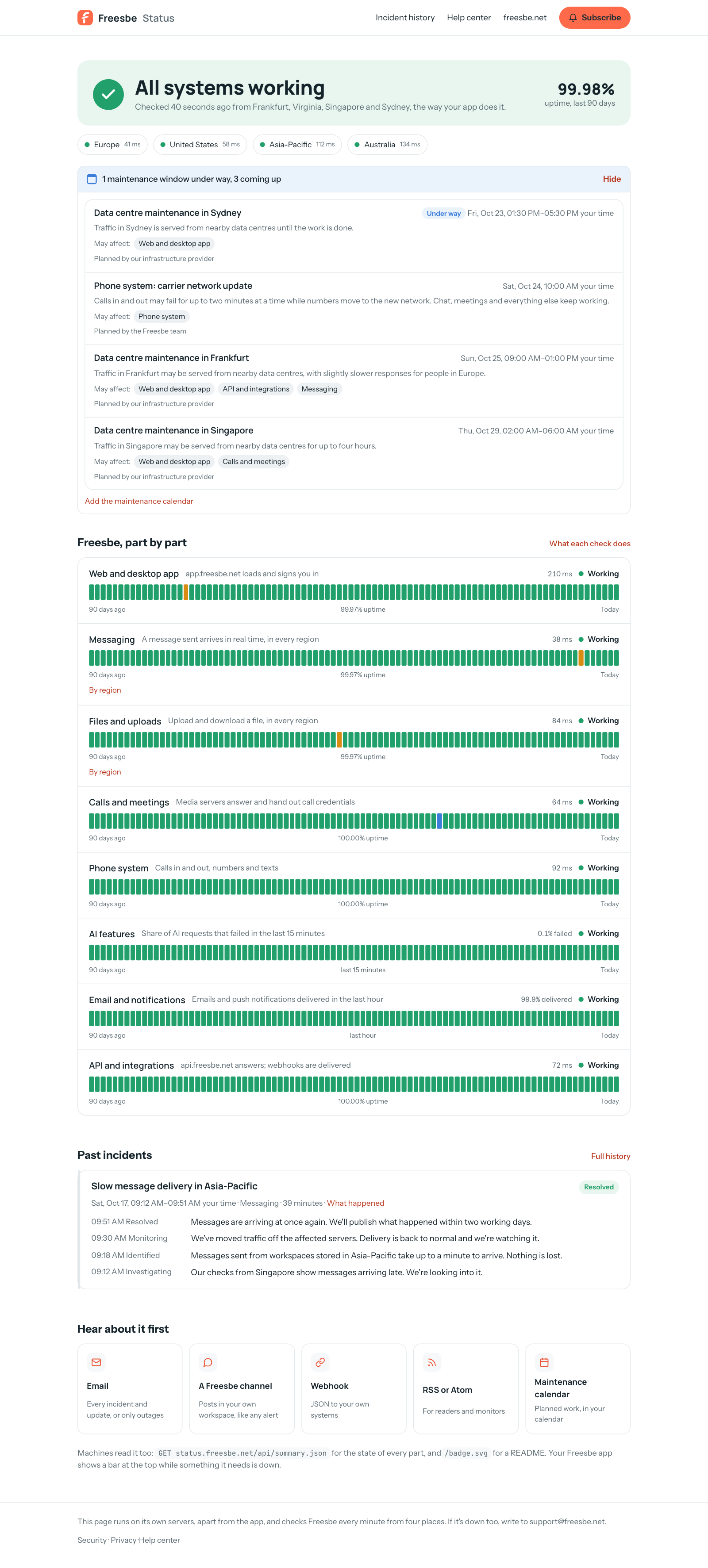
- Planned maintenance, in one line under the regions: how many windows are under way and how many are coming up. Click View for the list, with the ones under way first: each window’s title, when it runs in your time zone, the parts it May affect, and who planned it, our team or our infrastructure provider. Finished windows leave the list. When our team’s own maintenance starts, it moves up to Happening now.
- When our infrastructure provider reports trouble on a service Freesbe runs on, the parts it touches show a short note. The page’s own checks decide the colour. Its planned work stays in the maintenance list, even while it’s under way.
In the app
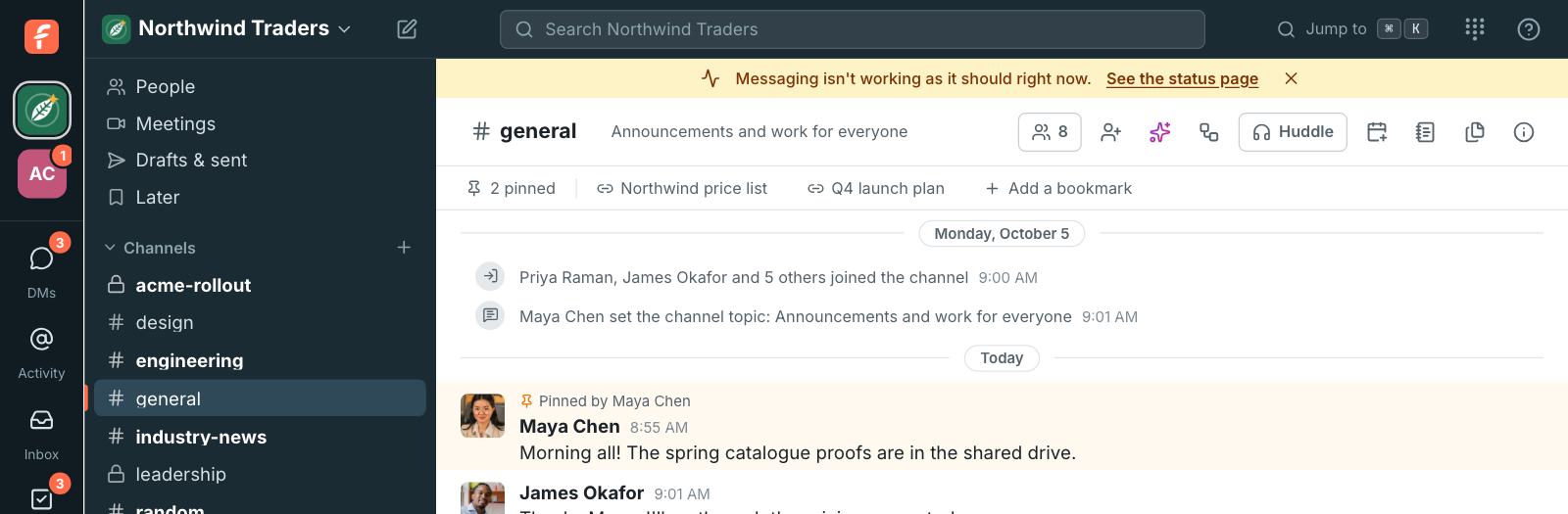
Section titled “In the app”While something the app needs is degraded or down, a bar at the top of the app says so, with a link to the status page. Close it with ×; it comes back if the trouble changes. The ? menu’s Freesbe status opens the page any time.
Hear about it first
Section titled “Hear about it first”status.freesbe.net/subscribe has every way:
- Email: every incident, update and planned maintenance, or only outages. We send a link to confirm the address, and every email has a link to stop them.
- A Freesbe channel: incidents post into a channel in your own workspace as cards that turn green when they’re resolved, like any other alert. An admin connects it in Workspace settings → Integrations & apps → Integrations → Monitoring → Freesbe status, picks the channel, and that’s all: there is nothing to paste. See Post Freesbe status to a channel.
- Webhook: a signed JSON
POSTto your own systems for every update, retried if your end doesn’t answer. - RSS or Atom:
status.freesbe.net/feed.xmland/atom.xml. - Maintenance calendar: subscribe to
status.freesbe.net/maintenance.icsand planned work shows up in your calendar.
Machines can read GET status.freesbe.net/api/summary.json (every part’s status and 90-day
uptime, and the open incidents) and put status.freesbe.net/badge.svg in a README.
When the status page is down too
Section titled “When the status page is down too”Write to support@freesbe.net, and see Freesbe isn’t loading or something stopped working for how to tell whether it’s Freesbe or your connection.
Answers come from the Freesbe guides and are written by AI, so check the linked guide before relying on one. Please don't include personal details such as emails or passwords.